
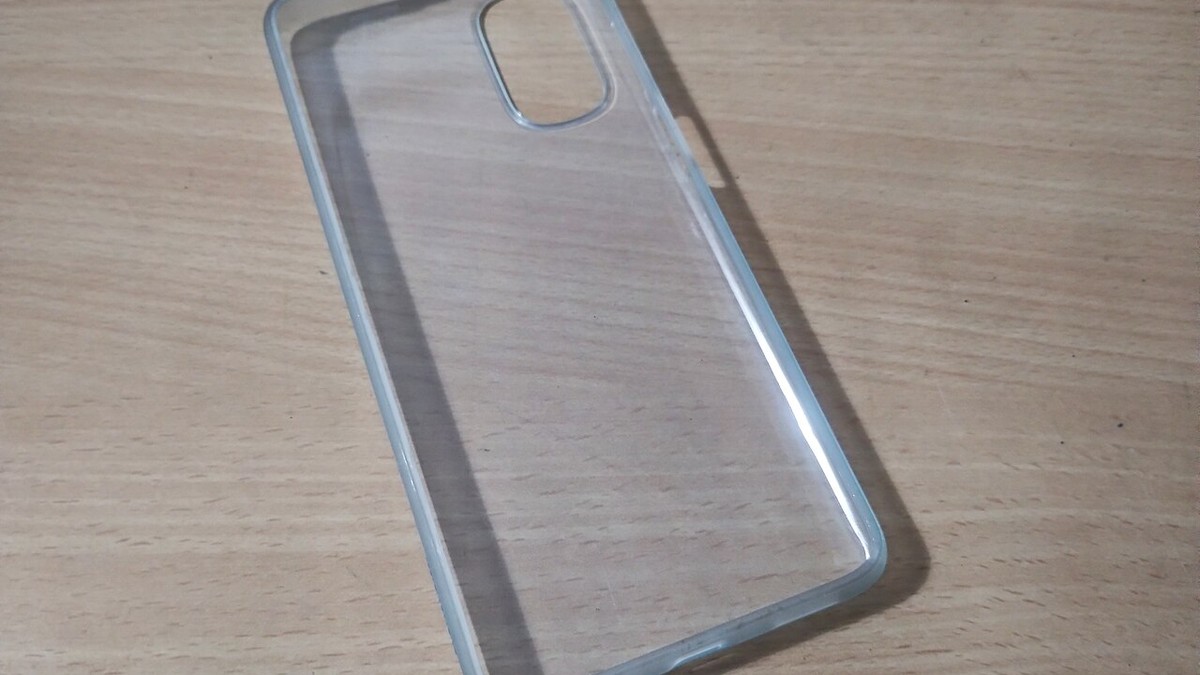
Phone accessories sit at the intersection of style and equipment. A case can complete an outfit, but it also needs the correct model cutouts. A stand must support the intended position, and any powered accessory requires clear compatibility and use information. When shopping SHEIN phone accessories, begin with the exact device and task, then treat visual design as the final filter.
Identify the exact device before browsing
Phone families often contain several models with similar names but different dimensions, camera modules, button positions, and ports. Check the model in the device settings or manufacturer documentation rather than relying on appearance. Preserve the full name, including size, generation, or variant. A case listed for a related device is not necessarily interchangeable.
- Confirm the exact phone model and generation.
- Compare camera opening shape and depth.
- Check button, speaker, microphone, and charging-port access.
- Review whether the accessory affects features you use, such as wireless charging or attached lenses.
- Verify the listing’s included components; decorative props may not be part of the product.
If compatibility language is unclear, do not “round” the model name to the closest option. Ask the seller or choose a listing that states the match directly.
Phone cases: inspect structure, not just print
A case photo can show color and pattern but may hide edge height, corner shape, button covers, and interior finish. Look for front, back, side, and device-free views. Check the material description and whether the case is one piece or several. Avoid assuming a level of drop, impact, or water protection unless the manufacturer explicitly documents it.
Consider daily friction points
Raised decorations can catch on pockets, while very smooth surfaces may be harder for some users to grip. Light colors and transparent materials may show wear differently over time. Camera surrounds should not interfere with the lenses or flash. A case also needs to work with the charging cable, mount, stand, or bag pocket you use regularly.
For style, repeat one detail from your everyday wardrobe—color, motif, texture, or metal tone—rather than trying to match everything. If you rotate accessories often, use the budget and duplication checks in our trend wishlist guide.
Grips, straps, and charms need attachment checks
These products carry or stabilize an expensive device, so attachment method matters. Review how a grip adheres, how a strap connects, and whether a charm loop requires a compatible case opening. Follow the manufacturer’s installation, load, surface, and use instructions. Do not assume an adhesive, tether tab, or decorative connector will prevent every drop.
Inspect stitching, rings, clasps, tabs, and connection points in close-up images. For crossbody or wrist straps, adjustability affects both comfort and device control. Consider whether the strap could catch on objects during commuting, exercise, or crowded travel. Use the accessory only in situations consistent with its documented purpose.
Stands and mounts: test the intended position
A stand used for video calls needs a different angle from one used for recipes or filming. Check supported orientation, adjustment range, base dimensions, and contact surfaces. A compact stand may travel well but provide a smaller footprint. A broad base can improve stability while taking more desk space.
- Measure the device with its case, not only the bare phone.
- Check whether the ledge blocks controls or part of the screen.
- Look for pads or finished edges where the device and furniture make contact.
- Confirm the stand’s intended placement and follow setup instructions.
Vehicle mounts require special attention to manufacturer compatibility and installation directions. Placement must not obstruct visibility, controls, or safety systems, and local rules may apply. Do not infer that a mount is appropriate for every vehicle, dashboard surface, vent design, or driving environment.
Powered accessories require documentation
For cables, adapters, lights, fans, battery-related items, or charging accessories, verify the connector type, input and output details, supported devices, included components, and manufacturer instructions. Style photos and customer comments are not substitutes for technical information. Do not claim or assume certification, charging performance, or safety characteristics that the listing does not clearly substantiate.
Use powered products only as instructed and stop using an item that is damaged, excessively hot, loose, or otherwise behaves outside the provided guidance. Keep connectors free of debris and moisture according to device and accessory directions. If documentation is incomplete or inconsistent, the safest shopping decision is to skip the item rather than improvise.
Organize without creating cable clutter
Cable clips, sleeves, and pouches can make a setup cleaner, but they should not force cords into sharp bends or cover areas that need ventilation. Check diameter ranges and adhesive surface instructions. A compact pouch should fit plugs without crushing them against the zipper.
At a work area, consider how the phone accessory interacts with the keyboard, monitor, lighting, and available outlets. Our functional desk accessories guide can help you evaluate the entire setup rather than adding isolated gadgets.
Run a compatibility checklist before checkout
- Is the exact device model named?
- Are dimensions, materials, ports, and attachment methods clear?
- Will the accessory work with your current case and charging method?
- Are instructions and technical details available for any powered function?
- Can the connection points be inspected in product images?
- Does it solve a frequent task without interfering with another feature?
Conclusion: compatibility comes before color
The best SHEIN phone accessories pass three separate tests: they match the exact device, their construction suits the intended task, and their documentation answers relevant use and safety questions. Only then should print, color, and trend decide between candidates. That order protects function while still leaving room for a phone setup that feels personal.